 ADMIN
Describe the capability you need#
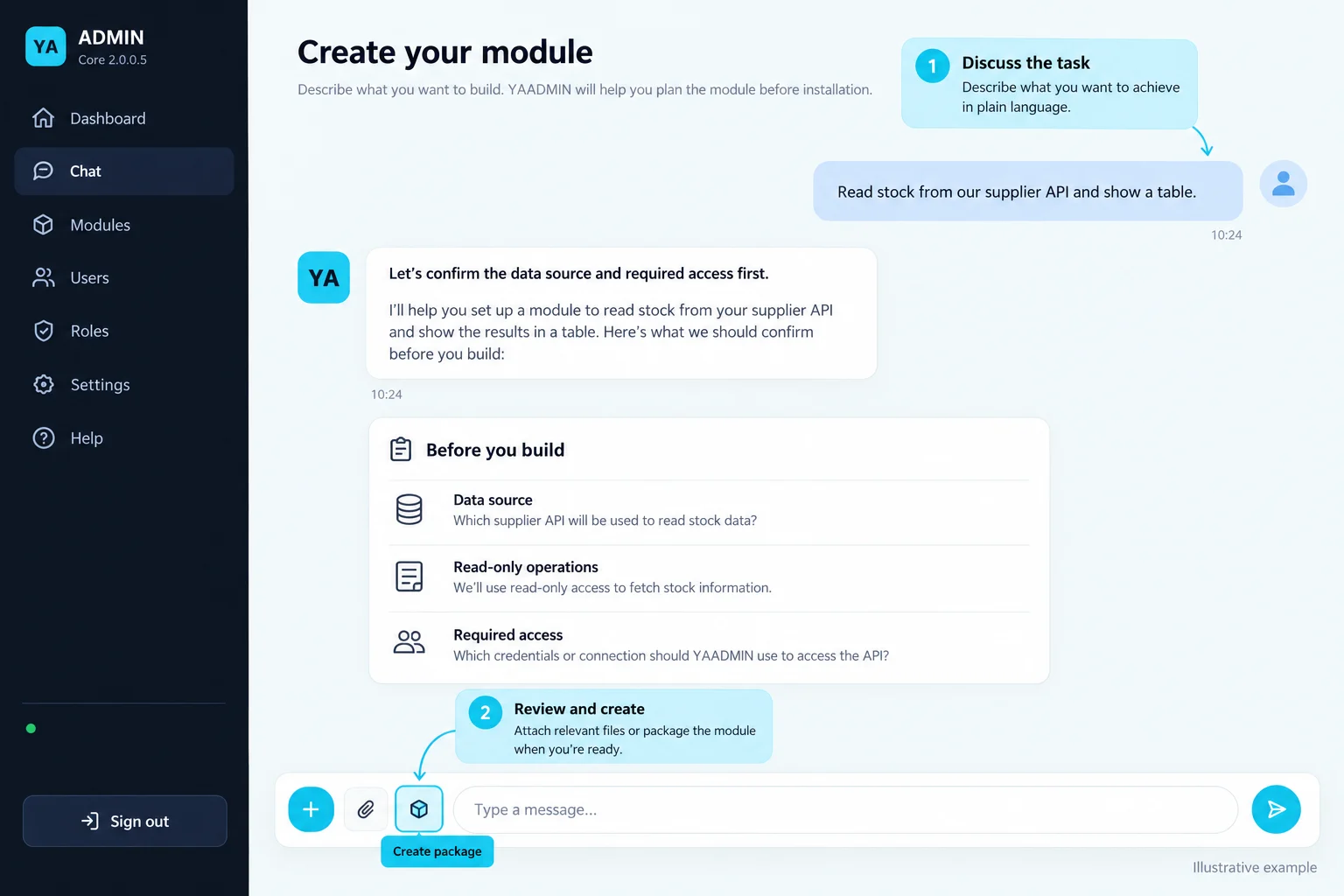
Module Builder helps you discuss an integration with AI and prepare a YAADMIN package. Start with a concrete task: where the data comes from, what to do and what result you expect.
- Describe
- Clarify
- Confirm creation
- Configure
- Test
Open module creation
On Modules, find the section for creating your own module. Describe the behaviour, for example: “Read stock through our supplier's official API and show it as a table.” Choose creation in YAADMIN. If the action is missing, ask the administrator to check access and whether Module Builder is available.
Clarify the task in its own conversation
A new discussion opens in normal chat history. Clarify the data source, operations, permissions and external software requirements. The assistant checks whether the installed development tools support the proposed approach. An unsupported approach must be revised rather than presented as ready.
Review the summary and confirm creation
Once the behaviour is agreed, open the chat's + tool group and choose the package-creation action. Read the confirmation. Discussion alone installs nothing. Building shows real stages rather than a fabricated completion percentage.
Configure the installed module
A new module installs disabled. Open settings, enter required credentials in protected fields and check the connection. Enable it with the appropriate permissions. A generated package is not proof that the external API works.
Test one real operation
Start with a safe read of test data and compare it with the source. Test changes separately. If the integration needs paid external software, you must provide its licence; YAADMIN does not supply it.
Use another AI assistant#
Download the task bundle from the creation form. It contains your description, instructions and examples. Give it to your chosen assistant, then add the resulting trusted package with Add from a file. This does not bypass compatibility or permission checks.
Improve a module you own#
Ask chat to update your specific module, describe the change and discuss the result. The update checks recorded ownership, permissions and installed version. The module keeps its identity and receives a higher version; settings and stored secrets do not need to pass through chat. A legacy package without recorded ownership needs administrator review.